7 Simple Steps to Protect Your Digital Privacy in 2026
Worried about hackers and online scams? Learn 7 simple, actionable steps to protect your digital privacy and secure your personal data in 2026.
Let’s be honest: our lives are mostly digital now. We do our banking on our phones, store our most cherished family photos in the cloud, and share our personal thoughts on social media. We would never leave the front door of our house wide open, yet many of us leave our digital doors completely unlocked.
As technology advances, so do the tactics of hackers and cybercriminals. But here is the good news: you do not need to be a tech genius or a computer programmer to stay safe online. In fact, most cyberattacks succeed because of simple human errors.
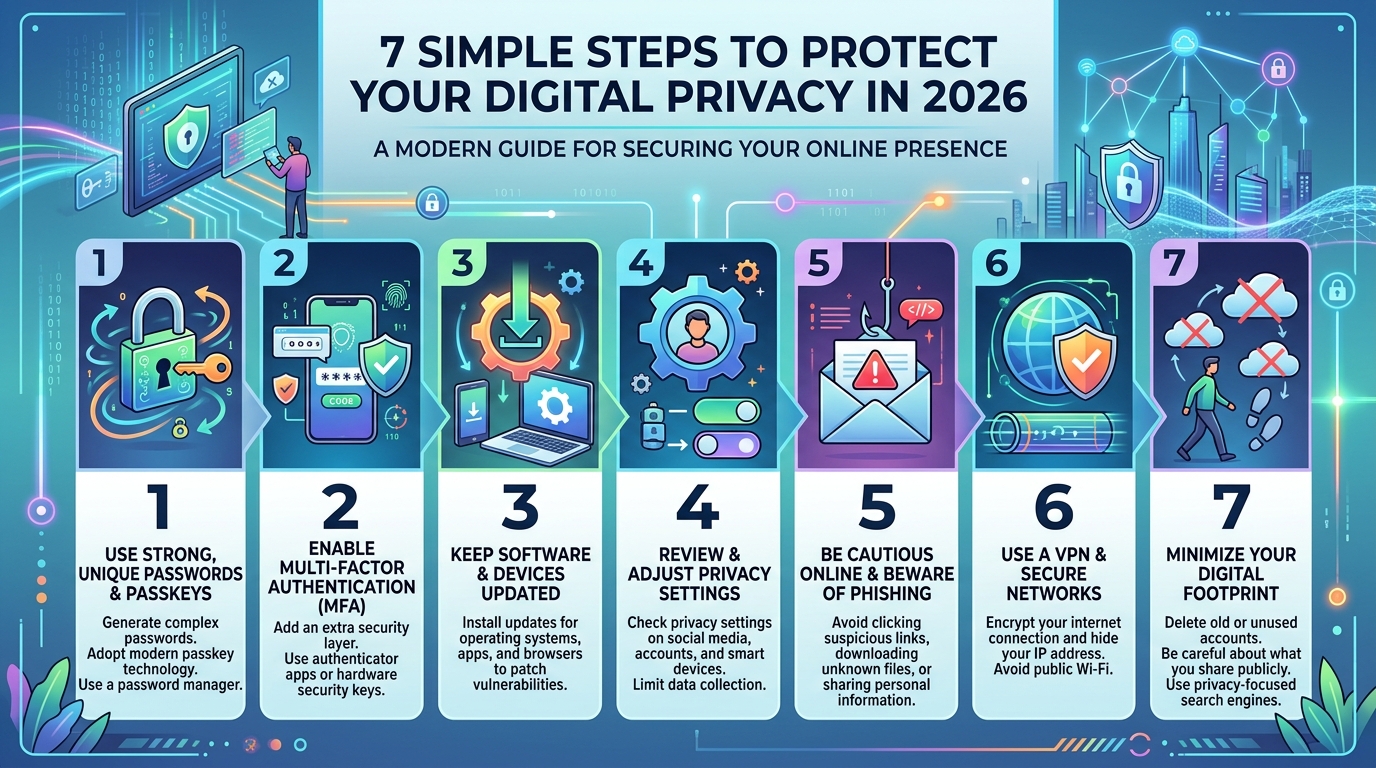
By making a few small changes to your daily digital habits, you can build a massive wall between your personal data and the bad guys. Here are 7 simple steps to protect your digital privacy in 2026.
1. Upgrade to a Password Manager
If you are still using “Password123”, your pet’s name, or your birthdate as your password, you are making it incredibly easy for hackers. Using the same password across multiple websites is even worse; if one site gets hacked, all your accounts are suddenly at risk. The solution? Use a Password Manager (like Bitwarden, 1Password, or Dashlane). These tools generate incredibly strong, unique passwords for every single website you use and remember them for you. You only need to memorize one “Master Password” to unlock the vault.
2. Turn on Two-Factor Authentication (2FA)
Even if a hacker manages to guess your password, Two-Factor Authentication (2FA) will stop them in their tracks. Think of 2FA as an extra padlock on your digital door.
When 2FA is turned on, logging in requires two things: something you know (your password) and something you have (a unique code sent to your phone or generated by an authenticator app). Always enable 2FA on your essential accounts: email, banking, and social media.
3. Stop Ignoring Software Updates
We all know the feeling of annoyance when a “Software Update Available” pop-up interrupts our work. It is tempting to click “Remind me later,” but doing so is a massive security risk.
Software updates are not just about giving you new emojis or changing the look of an app. They often contain critical “patches” that fix security holes. When companies discover a weakness in their software, they send out an update to fix it. If you don’t update, you leave that hole open for hackers to exploit.
4. Learn to Spot Phishing Scams
Phishing is when a scammer pretends to be a legitimate company (like your bank, Netflix, or Amazon) to trick you into giving them your login details. With the rise of AI, these fake emails and text messages look more realistic than ever.
The rule of thumb here is: Think before you click. If you get an urgent email claiming your account will be locked unless you click a link, pause. Do not click the link. Instead, open a new browser tab, go directly to the company’s official website, and check your account status there.
5. Be Careful on Public Wi-Fi (Use a VPN)
Free Wi-Fi at airports, hotels, and coffee shops is incredibly convenient, but it is also notoriously insecure. Hackers can easily sit in the same cafe and intercept the data you send over an open network, including passwords and credit card numbers.
If you must use public Wi-Fi, avoid logging into your bank or making online purchases. Better yet, use a Virtual Private Network (VPN). A VPN creates a secure, encrypted tunnel for your internet traffic, hiding your activity from anyone trying to snoop.
6. Review Your App Permissions
Take a moment to look at the apps on your smartphone. Does a basic flashlight app really need access to your microphone and GPS location? Does a simple puzzle game need to read your contacts?
Many apps collect unnecessary data to sell to advertisers. Go into your phone’s settings and review app permissions. Turn off location, microphone, and camera access for any app that doesn’t genuinely need it to function.
7. Back Up Your Data Regularly
Cybersecurity isn’t just about keeping hackers out; it is also about ensuring you don’t lose your data if something goes wrong. Whether your phone falls into a swimming pool or your laptop gets hit by a ransomware virus, losing your files can be devastating.
Follow the 3-2-1 backup rule: Keep 3 copies of your data, on 2 different types of media (like your laptop and an external hard drive), with 1 copy stored off-site (like a secure cloud storage service such as Google Drive or iCloud).
Conclusion
Cybersecurity in 2026 is not about living in fear or completely disconnecting from the internet. It is simply about being mindful. By taking these seven simple steps, you will make yourself a much harder target for cybercriminals. Protect your digital privacy today, so you can enjoy the internet with peace of mind tomorrow.